Why this course
Why this course, not only a networking certificate?
Plenty of first IT jobs are still on-site: a switch, a crimping tool, a desktop that will not boot, a Wi-Fi network that keeps dropping. This course respects that work and connects it to the IP skills our cloud courses build on.
- Hardware you can touch, not only diagrams.
- Cabling and device labs beside IP and troubleshooting.
- A direct path into the networking courses or the diploma.
School leavers and graduates looking for IT support work, and anyone who wants a practical start before networking or cloud.
None.
Covers CompTIA A+ and Network+ starting topics. Exam fees are separate.
Desktop support engineer · IT support technician · Field engineer
How the course runs
The plan, in the order we teach it.
- Part 1
PC components, assembly, operating system installation and common faults.
- Part 2
Cabling, Ethernet, switches, routers and wireless access points.
- Part 3
IP addressing, gateways, a repeatable troubleshooting order and the project.
Your project
Set up and support a small office
Assemble and install a PC, cable and connect it to a small network, and work through support tickets your trainer raises.
From course project to real projectsWhat you hand in
- A working, networked PC
- A cabling and addressing sheet
- Closed tickets with the fix recorded
Syllabus
Curriculum designed by working engineers.
Tools covered
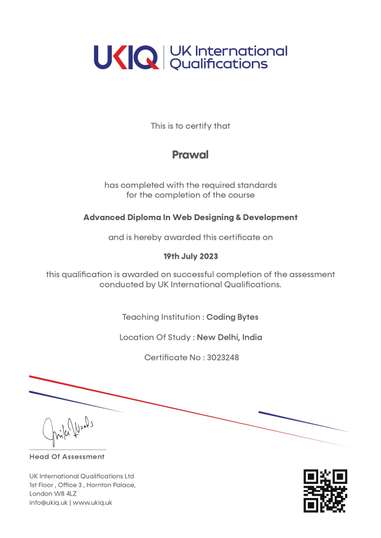
UKIQ certificate. Professional batches include a UKIQ certificate alongside the project you can show in an interview.
01The machine
- PC components and what fails first
- Installing and checking an operating system
- Peripherals, power, and safe handling
02The wire
- Connectors and wiring standards
- Ethernet and common topologies
- Networking devices: switches, routers, wireless access points
03The address
- IP addressing
- Subnetting practice
- Default gateways and simple NAT
04The ticket
- A troubleshooting order you can repeat
- Wireless basics
- When to escalate to networking or cloud teams
FAQ
Questions before you enrol.
How is this different from the networking course?
Hardware & Networking spends more time on PCs and cabling. The networking course goes deeper on routing, VLANs, security and WAN topics.