Specialise in a cloud
VMware vSphere Course
A lot of private cloud still runs on VMware vSphere. You learn to create virtual machines, place them on shared storage and plan for availability, then see how the same ideas map to AWS and Azure.
Why this course
Why learn VMware now?
Many companies in Delhi NCR run vSphere alongside a public cloud, and moving workloads between them is where a lot of first cloud work is. Engineers who understand both are useful on those migration projects.
- ESXi and vCenter taught as daily administration work.
- Storage, networking, snapshots and availability in one story.
- A natural step into the cloud computing program.
System administrators and support engineers working in, or applying to, companies with on-premises data centres.
Basic networking and operating system knowledge.
Introduces topics from VMware Certified Professional – Data Center Virtualization. Check VMware's current exam requirements; exam fees are separate.
Virtualization administrator · System administrator · Cloud migration associate
How the course runs
The plan, in the order we teach it.
- Part 1
Why hypervisors exist, ESXi installation concepts, vCenter and the inventory.
- Part 2
Creating and sizing VMs, snapshots, templates, virtual networking and datastores.
- Part 3
High availability, DRS and vMotion ideas, backup, and mapping it all to cloud.
Your project
Plan a move from vSphere to the cloud
Document a small vSphere environment, then write a migration plan to AWS or Azure: what moves, what changes and what could go wrong.
From course project to real projectsWhat you hand in
- An inventory of VMs, networks and storage
- A target cloud design
- A migration and rollback plan
Syllabus
Curriculum designed by working engineers.
Tools covered
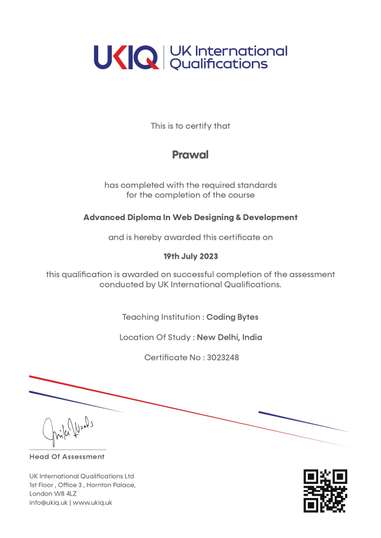
UKIQ certificate. Professional batches include a UKIQ certificate alongside the project you can show in an interview.
01Virtualization basics
- Why a hypervisor exists
- ESXi host installation concepts
- vCenter and the inventory
02Run workloads
- Creating and sizing virtual machines
- Snapshots and when they hurt
- Templates and simple customization
03Share the platform
- Virtual networking on a vSwitch
- Datastores and shared storage ideas
- vMotion at a conceptual level
04Stay up
- High availability and DRS ideas
- Backup planning
- How this maps to cloud instances and VPCs
FAQ
Questions before you enrol.
Do I need my own server?
No. Labs are arranged for the batch. Bring a laptop for notes and remote access.
Also in Specialise in a cloud
Related courses
AWS Course
You buildA highly available web application on AWS
Explore courseMicrosoft Azure Course
You buildA secure Azure environment for a small office
Explore courseGoogle Cloud
You buildDeploy a containerised service on Google Cloud
Explore course