Foundations
Networking Course
You leave able to explain how packets move, subnet a network on paper and in the lab, and troubleshoot the problems that show up on a helpdesk and inside a cloud VPC.
Why this course
Why networking first?
Every cloud certification assumes you understand IP, routing and name resolution. Students who skip this layer struggle later with AWS and Azure networking, so we teach it properly.
- A full path from OSI and cabling to routing, switching and wireless.
- Security topics: authentication, threats and physical risk.
- Tools you will actually use, including traceroute and a repeatable troubleshooting method.
Students heading into network support, and anyone preparing for cloud courses.
Basic computer use.
Covers CompTIA Network+ topics. Exam fees are separate.
Network support technician · Helpdesk engineer · NOC associate
How the course runs
The plan, in the order we teach it.
- Weeks 1–3
Network models, cabling, Ethernet and devices.
- Weeks 4–7
IP addressing, subnetting, NAT, routing, switching and VLANs.
- Weeks 8–10
Wireless, security, WAN, troubleshooting labs and the project.
Your project
Design and troubleshoot a branch-office network
Plan the addressing for a small branch office, configure it in the lab, then find and fix faults your trainer introduces.
From course project to real projectsWhat you hand in
- A subnet plan with your calculations
- A network diagram
- A troubleshooting log for each fault
Syllabus
Curriculum designed by working engineers.
Tools covered
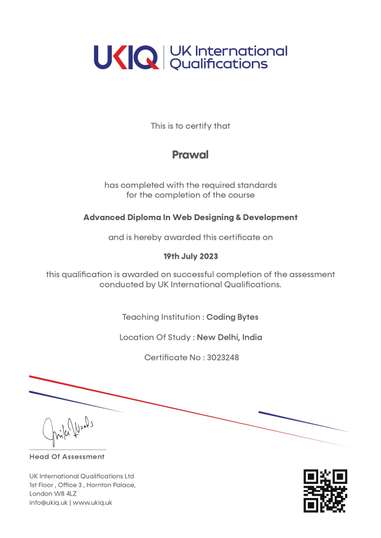
UKIQ certificate. Professional batches include a UKIQ certificate alongside the project you can show in an interview.
01Foundations
- Introduction to networks
- The Open Systems Interconnection specifications
- Networking topologies, connectors, and wiring standards
- The current Ethernet specifications
02Devices and IP
- Networking devices
- Introduction to the Internet Protocol
- IP addressing
- IP subnetting, troubleshooting IP, and introduction to NAT
03Moving traffic
- Introduction to IP routing
- Routing protocols
- Switching and virtual LANs
- Wireless networking
04Keep it healthy
- Authentication and access control
- Network threats and mitigation
- Physical security and risk
- Wide area networks
05Operate
- Using traceroute
- Software and hardware tools
- Network troubleshooting
- Management, monitoring, and optimization
FAQ
Questions before you enrol.
What is the fee?
₹14,999 for 20 lectures (40+ hours) over about 2.5 months.
Is hardware included?
This course is networking only. PC hardware and cabling get more time on the Hardware & Networking course, and Linux servers are added in the Networking & Operating System certificate.