Home/Courses/Red Hat Linux (RHCSA)
Foundations
Red Hat Linux Administration Course (RHCSA Preparation)
Learn to administer a Linux server and explain your work: who can log in, how the service starts, where its data lives and how to recover it. This four-month Red Hat Enterprise Linux course combines command-line practice, administration topics and a server handover project, with RHCSA preparation.
Why this course
From running commands to understanding a server
A website that loads once is only a starting point. An administrator also needs to understand its users, permissions, services, storage and network access. The course applies these topics to a lab server you can inspect, change and recover without experimenting on somebody else's production system.
Keep a small record as you practise: the task, your command or configuration change, the result you expected and what you actually observed. When a check fails, record how you investigated it. This gives you something more useful to discuss than a screenshot of a successful installation.
RHCSA is a separate performance-based certification exam. Course completion, practice exercises and an institute certificate do not award Red Hat certification. Check Red Hat's current EX200 objectives and the exam version before booking; a course outline is not a guarantee of exam coverage or a pass.
Course guide updated 31 October 2026 · Simply2Cloud Team
- Daily lab time on Red Hat Enterprise Linux servers.
- Practice across users, services, storage, networking and security, with the administration topics listed below.
- A server project with evidence of access checks, service recovery and a backup restore.
- Foundations you can build on when working with Linux virtual machines in AWS or Azure; cloud services add their own controls and costs.
Anyone heading for cloud, DevOps or system administration roles, and Windows administrators adding Linux.
Basic computer use, file management and time to practise between classes. Prior Linux or programming experience is not required for the introductory topics. Ask the team about your laptop's suitability, virtual-machine setup and the lab access provided before enrolling.
Red Hat Certified System Administrator (RHCSA). The exam is booked and paid through Red Hat and is not part of the course fee.
Linux administrator · Cloud operations engineer · Technical support engineer (Linux)
How the course runs
The plan, in the order we teach it.
- Month 1
The command line, files, local help, Vim, users, groups and permissions. Practice goal: explain which user can read or change a sample file, then test that access using a separate account.
- Month 2
Processes, systemd services, SSH, logs, networking, packages and archives. Practice goal: trace a failed lab service from its status and logs to a specific configuration issue, then verify the correction.
- Month 3
Storage and LVM, scheduling, ACLs, SELinux, firewalld and shell scripting basics. Practice goal: document a storage layout and restore a sample file from a backup, checking its contents and permissions.
- Month 4
Network services, boot troubleshooting, timed practice and the handover project. Practice goal: repeat the key checks after a reboot and record the recovery steps another learner would need.
Your project
Build, harden and hand over a Linux server
Build a dedicated lab server with a web service, then record how access, storage and recovery work. Use disposable practice data and preserve console access before changing SSH or firewall settings. Make one change at a time. Hardening is a set of specific controls to verify, not a claim that a server is completely secure. Confirm the lab environment and the trainer's assessment requirements for your batch.
From course project to real projectsWhat you hand in
- An access record: SSH key login tested before password access is disabled, with expected allowed and denied connections checked
- A service record: status and relevant logs, a controlled restart test and a check after reboot; keep SELinux enforcing and document the firewall rules needed
- A storage and recovery record: LVM layout, backup location and a sample restore checked for contents, ownership and permissions; an untested backup is not a verified recovery
- A handover runbook: setup, start and stop steps, checks, troubleshooting, recovery and remaining limitations; exclude private keys, passwords and personal information
Syllabus
Curriculum designed by working engineers.
Tools covered
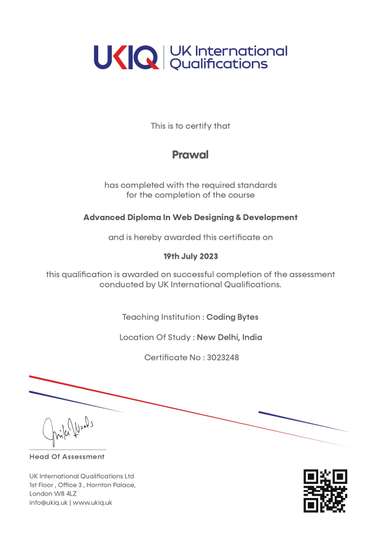
UKIQ certificate. Professional batches include a UKIQ certificate alongside the project you can show in an interview.
01The command line
- Accessing the command line
- Managing files from the command line
- Getting help in Red Hat Enterprise Linux
- Creating and editing text files with Vim
02Users, processes and services
- Managing local users and groups
- File-system permissions
- Monitoring and managing processes
- Controlling services and daemons
03Access, logs and networking
- Configuring and securing OpenSSH
- Analysing and storing logs
- Managing Red Hat Enterprise Linux networking
- Archiving and copying files between systems
- Installing and updating software packages
04Storage and security
- Partitions, file systems and LVM
- Scheduling future tasks
- Access control lists
- Managing SELinux security
- Managing the firewall
05Advanced services
- Regular expressions with grep
- DNS and network file sharing
- IPv6 networking
- Boot process and troubleshooting
- Kickstart installation
FAQ
Questions before you enrol.
Do I need programming experience?
No programming background is required for the introductory Linux topics. Shell scripting is introduced in month 3. You should be comfortable using a computer and have time to practise. Tell the team if you need help preparing a suitable laptop or lab environment.
Which Linux and exam version will I use?
The course uses Red Hat Enterprise Linux. Ask which release your batch's labs use and compare it with the current Red Hat EX200 exam information before booking. Vendor objectives and versions can change; a similar topic name does not prove that a practice lab matches the current exam.
What does the fee include?
₹18,999 covers about 4 months of classes and labs, the project, practice exams and placement assistance. The Red Hat exam fee is separate.
How can I judge whether my project is ready to show?
Ask someone to follow your runbook in the approved lab. Can they locate the service, check its status and logs, understand the access rules and restore the sample data? Keep the actual test results and unresolved issues. These are useful self-checks; ask the trainer for the batch's formal assessment criteria.
Do I need a paid cloud account?
Confirm the lab setup before creating any account. Linux skills can be practised in a suitable local virtual machine or an approved remote lab. If you choose a cloud VM, check current charges, storage and network costs, account permissions and cleanup steps. Do not assume a free offer covers your work.
Does the course guarantee certification or employment?
No. RHCSA certification requires passing Red Hat's separate exam. Placement assistance does not guarantee a job or internship. Selection for the Cloud Project Lab is separate from enrolment, and any real assignment needs its own agreed terms.